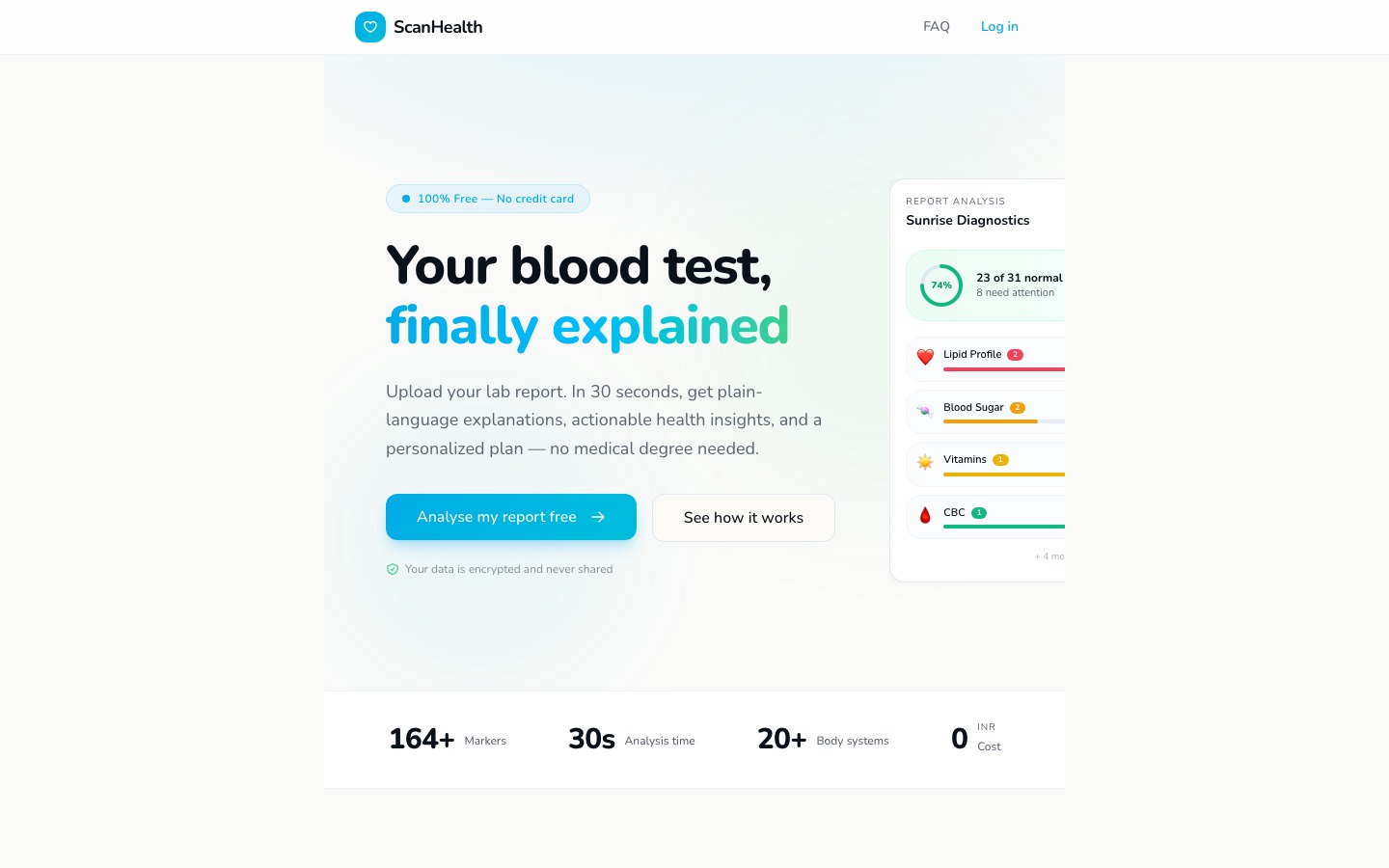
A health tech startup needed a web app that makes blood test results understandable for non-medical users. We built an AI-powered analyzer with clean medical UI, card-based health reports, and plain-English explanations for 164+ biomarkers.
Every year, millions of people get blood test results they can't understand. A PDF from the lab arrives with cryptic acronyms (ALT, TSH, HbA1c), reference ranges that vary by lab, and zero context about what any of it means for their actual health.
ScanHealth's mission: make blood test results understandable for anyone, 100% free. Upload a lab report, and the AI analyzes 164+ biomarkers, assigns health scores, flags concerns, and explains everything in plain English. No medical degree required.
Target audience: health-conscious individuals who get regular blood work but feel lost reading the results. People who Google "what does high creatinine mean" and get 47 contradictory answers. They need clarity, not more confusion.
Health apps have a trust problem. Too clinical and they feel cold. Too playful and they feel unreliable. We aimed for the sweet spot: clean enough to feel credible, warm enough to feel approachable.
The light mint/teal palette signals health and calm without the sterile blue-white of hospital software. White cards on a soft teal background create visual hierarchy while feeling inviting. The teal CTA buttons and "100% Free" badge build confidence.
The card-based report layout was critical — each biomarker gets its own card with a score, a status indicator (normal/borderline/high), and a plain-English explanation. Users scan the cards like a dashboard, diving deeper only where they need to.
1. Trust through simplicity. Clean layouts, generous whitespace, and consistent card patterns. No visual clutter that could undermine medical credibility.
2. Scan, don't study. Health scores are color-coded (green/yellow/red). Users see their status in 2 seconds and read details only when needed.
3. Card-based reports. Each marker is a self-contained card: name, value, reference range, score, plain-English explanation. Modular and scannable.
4. Free and transparent. The "100% Free" badge appears early and often. In health tech, hidden costs destroy trust instantly.
Dark mode. Health information needs to feel open and transparent — not hidden in shadows. We also rejected complex data visualizations (charts, graphs, radar plots) because they require health literacy to interpret. Simple scores and color codes are universally understood.
We rejected gamification too — no streaks, no badges, no leaderboards. Blood test results aren't a game. The UI treats health data with the seriousness it deserves while making it accessible.
A medical palette designed to feel trustworthy without being clinical: light mint/teal for health and calm, white for clarity, warm neutrals for approachability.
The app follows a user journey from upload to understanding:
Landing (value proposition + "100% Free" badge + upload CTA) → Upload (drag-and-drop lab report) → Processing (AI analysis progress) → Report (overall health score + category cards) → Marker detail (individual biomarker breakdown with plain-English explanation)
This was a full-stack web application, not a static site. The AI pipeline extracts data from uploaded lab PDFs, normalizes values across different lab formats, analyzes 164+ biomarkers against reference ranges, and generates plain-English health reports.
Claude API for analysis. The AI engine uses Claude to parse lab reports, identify biomarkers, and generate plain-English explanations. Claude's reasoning capability handles the nuance of medical data — understanding that "high" creatinine means different things for a 25-year-old athlete vs. a 65-year-old diabetic.
Supabase for data. User reports, parsed biomarker data, and generated analyses are stored in Supabase with row-level security. Health data demands strict access controls — each user sees only their own results.
Card-based report UI. Built as a responsive CSS Grid of self-contained cards. Each card component receives a biomarker object and renders: name, value, unit, reference range, status badge (normal/borderline/high), score, and explanation. The modular architecture makes adding new markers trivial.
PDF parsing pipeline. Lab reports come in dozens of formats. The parsing pipeline handles structured PDFs, scanned images (via OCR), and even photos of printed results. Normalization maps lab-specific naming conventions to a standard biomarker taxonomy.
ScanHealth turns an intimidating lab PDF into an understandable health report in under 30 seconds. The clean medical UI builds trust, the card-based layout makes scanning effortless, and the plain-English explanations give users the clarity their doctor's office doesn't have time to provide — all 100% free.
Visit the live site →Tell us about your project. We'll come back with a first idea within hours.